

What is in a blueprint
A blueprint has six sections. Each is independently editable:- Overview — a high-level summary of the app’s purpose
- Modules — the features and capabilities your app offers
- User types — the people who use the app and what each can do
- System services — built-in services like authentication, file storage, and roles
- Integrations — third-party services your app talks to (Stripe, SendGrid, and so on)
- Tech stack — the technical foundation (frameworks, runtime, database)
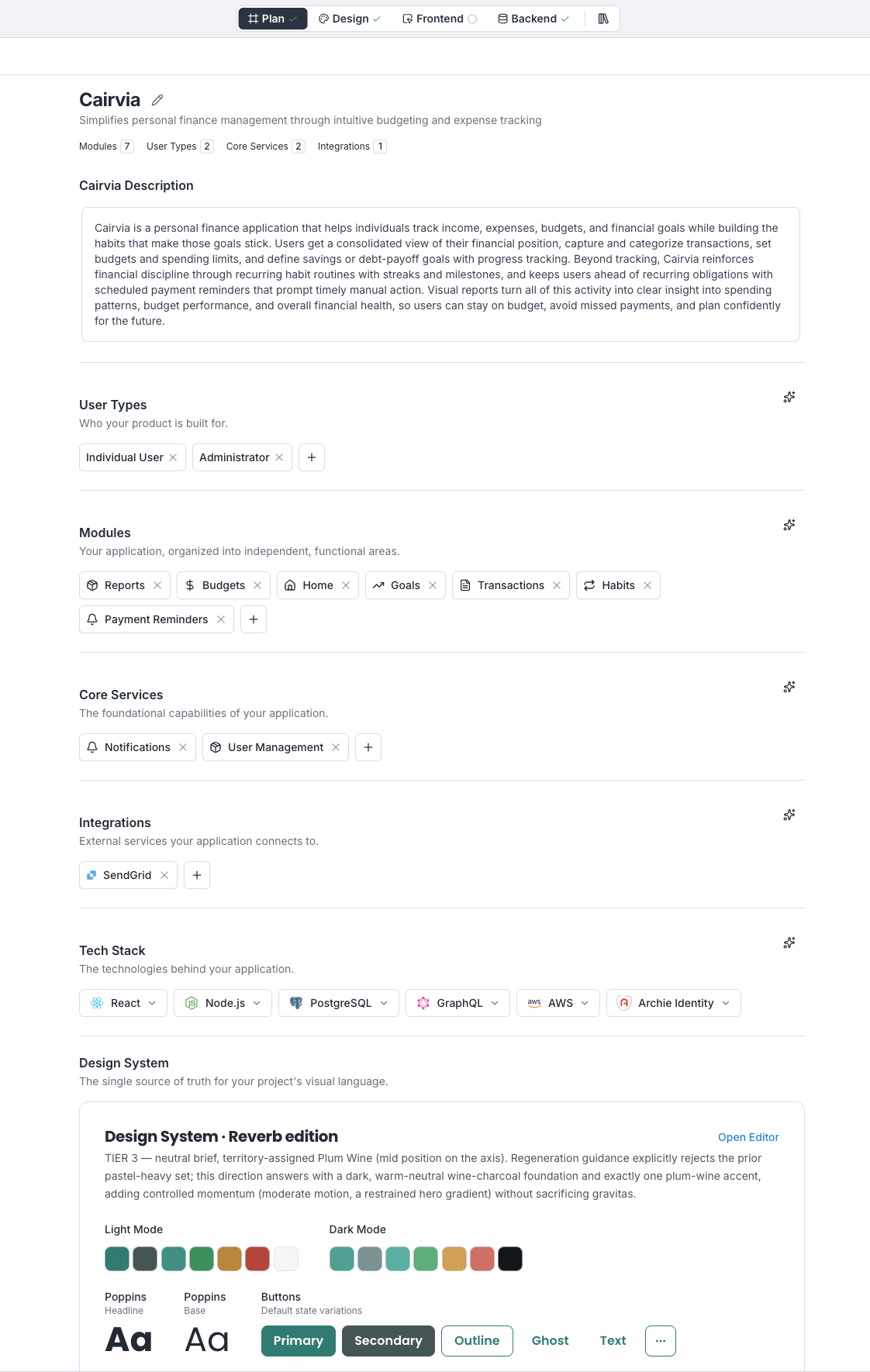
How the blueprint relates to the rest of Archie
The blueprint is the high-level plan. The specifications hold finer-grained detail (system requirements, visual design principles, technical decisions). When you run the build, Archie reads the blueprint and the specifications together. After the build, the visual editor and frontend surfaces let you make small, direct changes. For larger changes, come back to the blueprint and rebuild.What you will do here
- Generate a blueprint from an idea
- Add context by answering clarifying questions
- Review your generated blueprint
- Edit each section: modules, user types, services, integrations, tech stack
- Iterate using the blueprint chat
- Decide when to run the build
FAQ
Can I edit the blueprint after the build?
Can I edit the blueprint after the build?
Yes. Edit and run again. The next build will incorporate your changes.
Can I have more than one blueprint per project?
Can I have more than one blueprint per project?
No. Each project has one blueprint. To explore alternatives, create a new project.
What if I do not need a section?
What if I do not need a section?
Leave it minimal. For example, an internal tool may not need integrations. Archie will not force features into your build.