

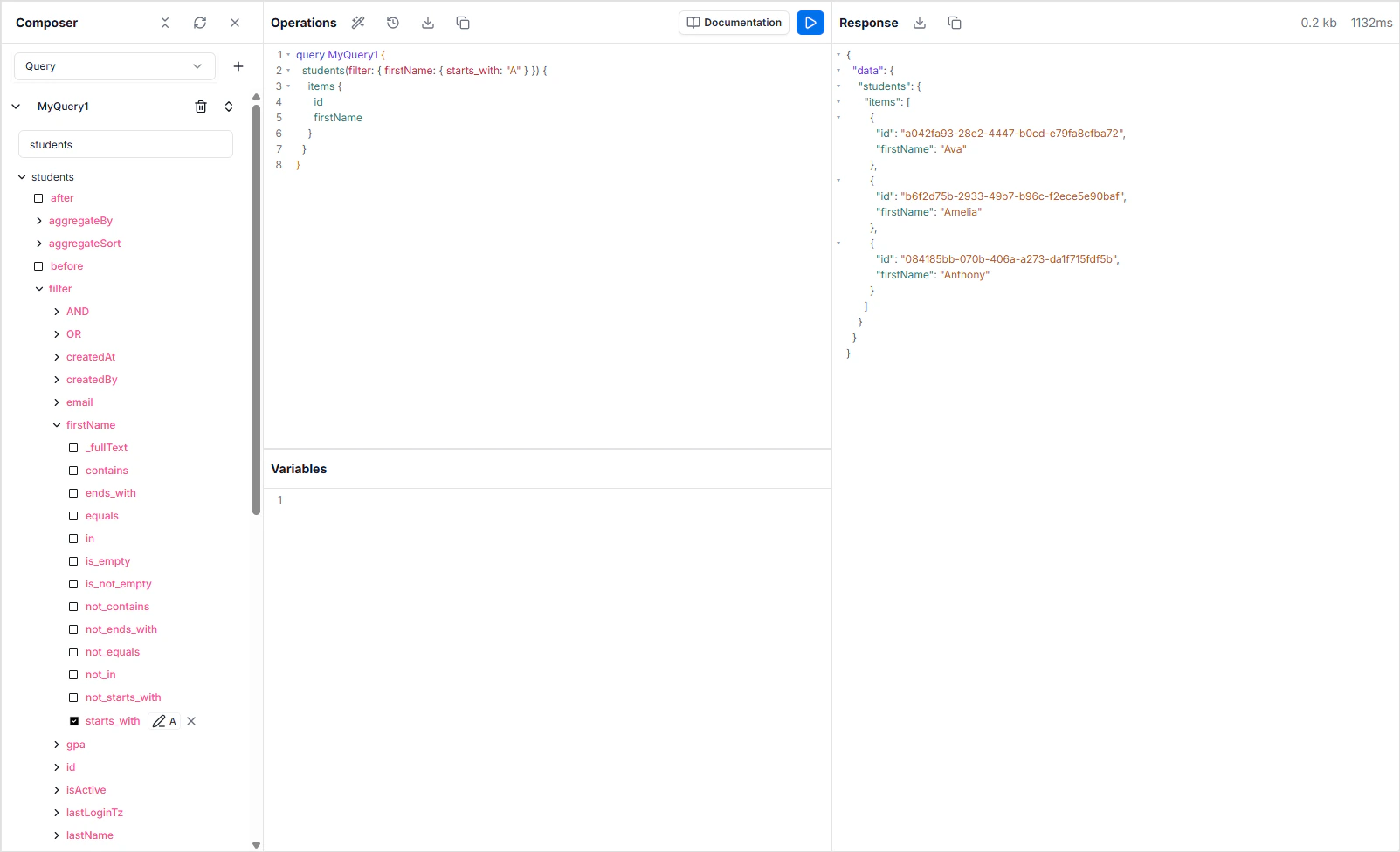
What’s in the Explorer
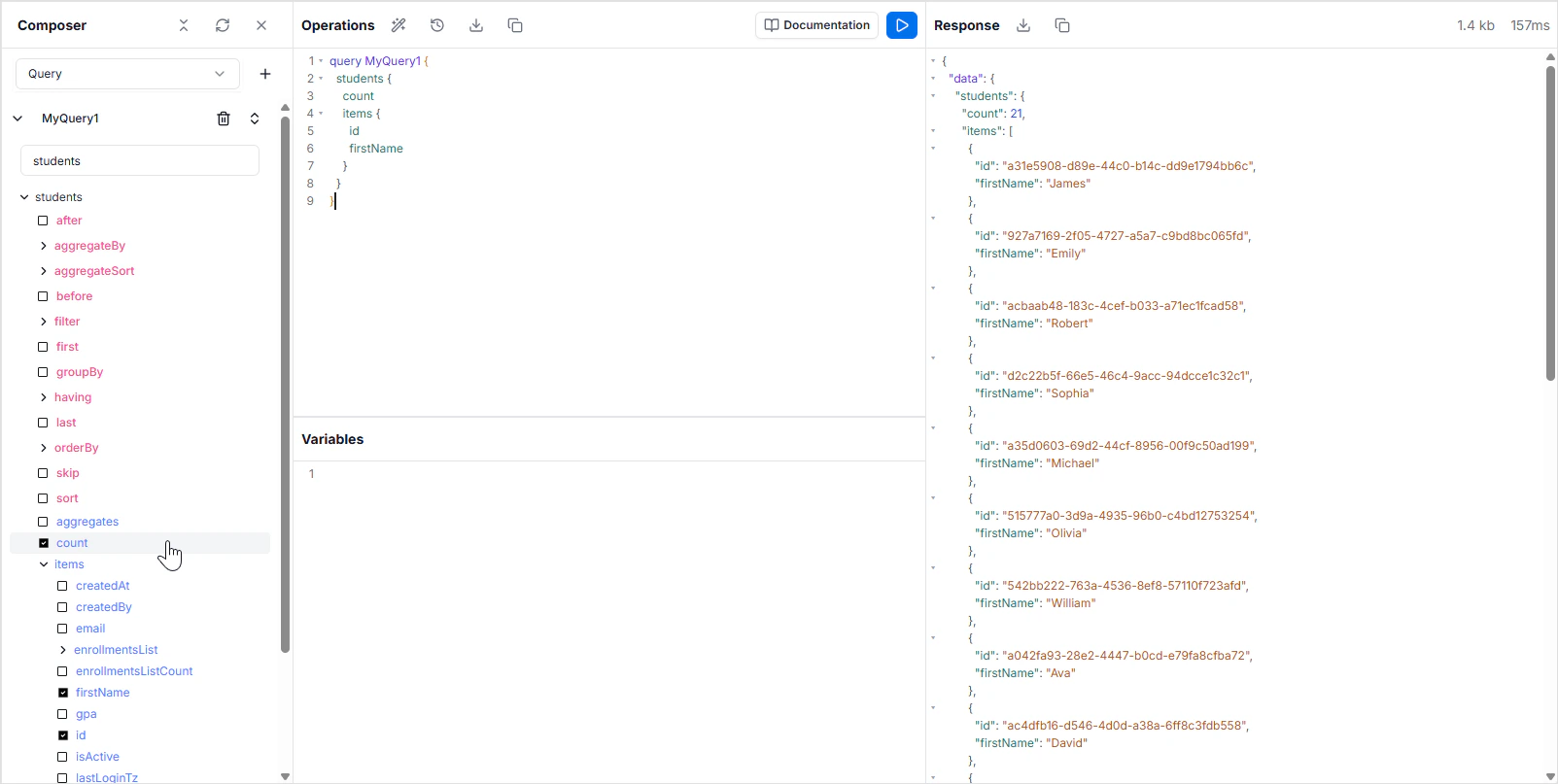
The Explorer ships with the four panels you’d expect from a modern GraphQL IDE:- Composer — a visual query builder. Pick a table, check the fields you want, and the Composer writes the operation into the editor for you.
- Editor — the main code area. Write queries, mutations, and subscriptions with autocomplete, syntax highlighting, and inline error tooltips. Press Shift + Space to trigger the autocomplete menu manually.
- Documentation panel — a searchable schema reference. Browse every query, mutation, type, and field in your schema. Click a type name in the editor to jump straight to its definition.
- Results panel — the response from the most recent execution, with timing and error information.
Introspection and autocomplete
Because GraphQL ships introspection in the protocol, the editor knows your schema without any configuration. Start typing a field name and the autocomplete menu shows you the fields that exist on the current type. Hover a squiggly red underline to see why the editor thinks something is wrong — wrong scalar, missing argument, field not on type.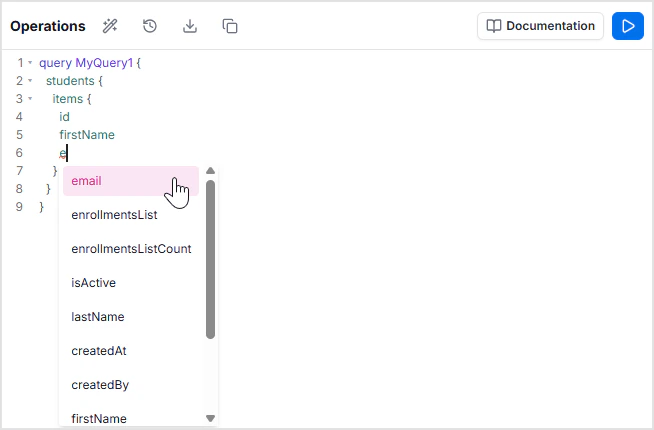
A single endpoint per project
Every project gets a single GraphQL endpoint that handles queries, mutations, and subscriptions for every table in the Data Model. Subscriptions use thewss:// variant of the same path. To target a specific environment, point requests at that environment’s endpoint — each environment has its own.
Authentication and permissions
Both happen at the API layer, not in the Explorer:- Authentication — every operation requires a token issued by an authentication provider configured in App Services → Authentication Providers. Inside the Explorer you’re already authenticated as your workspace user; outside it you’ll attach the token to each request.
- Authorization — read and write rules per role are enforced on every query and mutation, configured in Role-Based Access. Operations that violate those rules return an authorization error.
Where to go next
Queries
Read records — single, list, filtered, paginated, sorted, aggregated, grouped.
Mutations
Create, update, and delete records, including bulk operations.
Subscriptions
Real-time event streams over WebSockets.
Standard operations
Filters, relationships, nested mutations, and upserts.
Variables
Parameterize operations with typed variables.
FAQ
Does the Explorer hit production data?
Does the Explorer hit production data?
It hits whichever environment is selected in the workspace. By default that’s the active environment for your project — typically
master. To work against a non-production environment, switch environments before running operations.How do I see all available queries and mutations?
How do I see all available queries and mutations?
Open the Documentation panel from the top-right toolbar, or click any type name in the editor to jump to its definition. Both list every query, mutation, subscription, and type generated from your Data Model.
Why doesn't autocomplete show a field I just added?
Why doesn't autocomplete show a field I just added?
The schema regenerates as soon as the Data Model changes, but the editor caches the schema. Reload the Explorer if a brand-new field doesn’t appear.
What's the difference between the GraphQL and REST APIs?
What's the difference between the GraphQL and REST APIs?
Both expose the same data, the same permissions, and the same auth model. GraphQL is best for nested reads, real-time subscriptions, and clients that want to fetch exactly what they need. REST is best when you want a familiar HTTP surface or are integrating with tools that don’t speak GraphQL. See the REST API Explorer for the REST equivalent.